

New DataGerry Release: Rack View, Port Management & Cabling View – The Physical Data Center in the CMDB
With DataGerry 3.3.0, we’re bringing the physical infrastructure directly into the CMDB. Where Excel spreadsheets, paper rack diagrams, and cable lists on a network drive were previously required, you can now document racks, ports, and cable routes right where your configuration items are stored.
This release focuses on the new Rack View, port management with patch panels and cables, and the new Cabling View. In addition, we’ve revamped import and export functionality, consistently expanded the permissions system to all areas, and implemented numerous improvements to the user interface and performance.
Here is an overview of the most important changes:
Rack View: Visually Plan and Document Racks
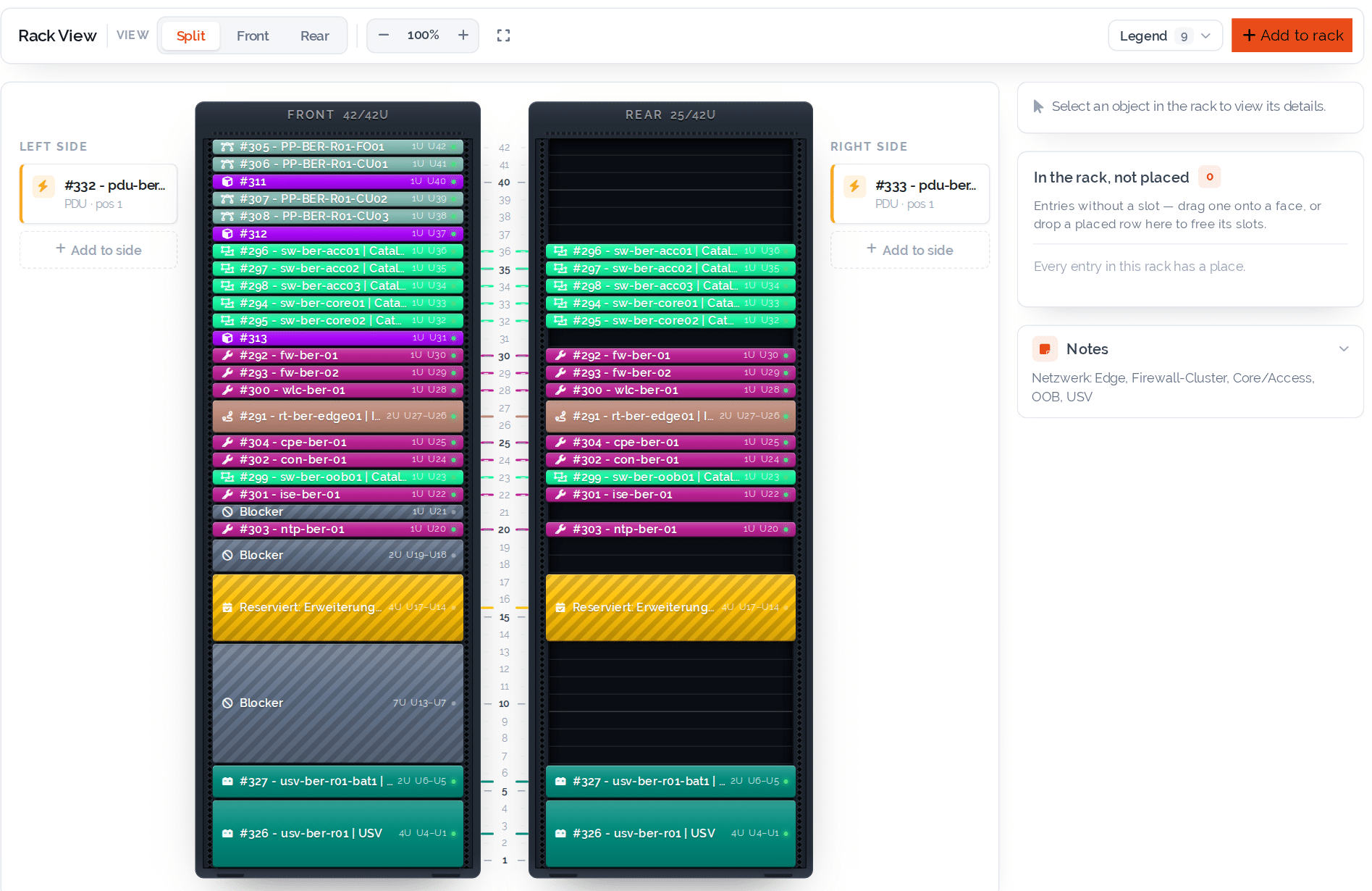
With the new “Rack” special type, every rack in DataGerry gets its own interactive rack view—right in the object view.
Servers, switches, patch panels, and UPSs are installed with their zone, starting height unit, and height specified. Front and rear views can be displayed separately or side by side; devices with full depth automatically appear in both views.
Key features:
- Graphical representation of all elevation units in front, rear, and split views
- Insert, move, and resize using drag-and-drop
- “Insert here” directly from an empty slot
- Reservations and blockers—expired reservations are marked in red
- Side mounting locations on the left and right, e.g., for PDUs
- Suggestions for free slots and backend verification of each placement
- Automatic synchronization with the Location Tree
This lets you see at a glance how full a rack is, where there’s still room for new hardware, and which upgrades are already planned.
Ports & Patch Panels: Organized Management of Connections
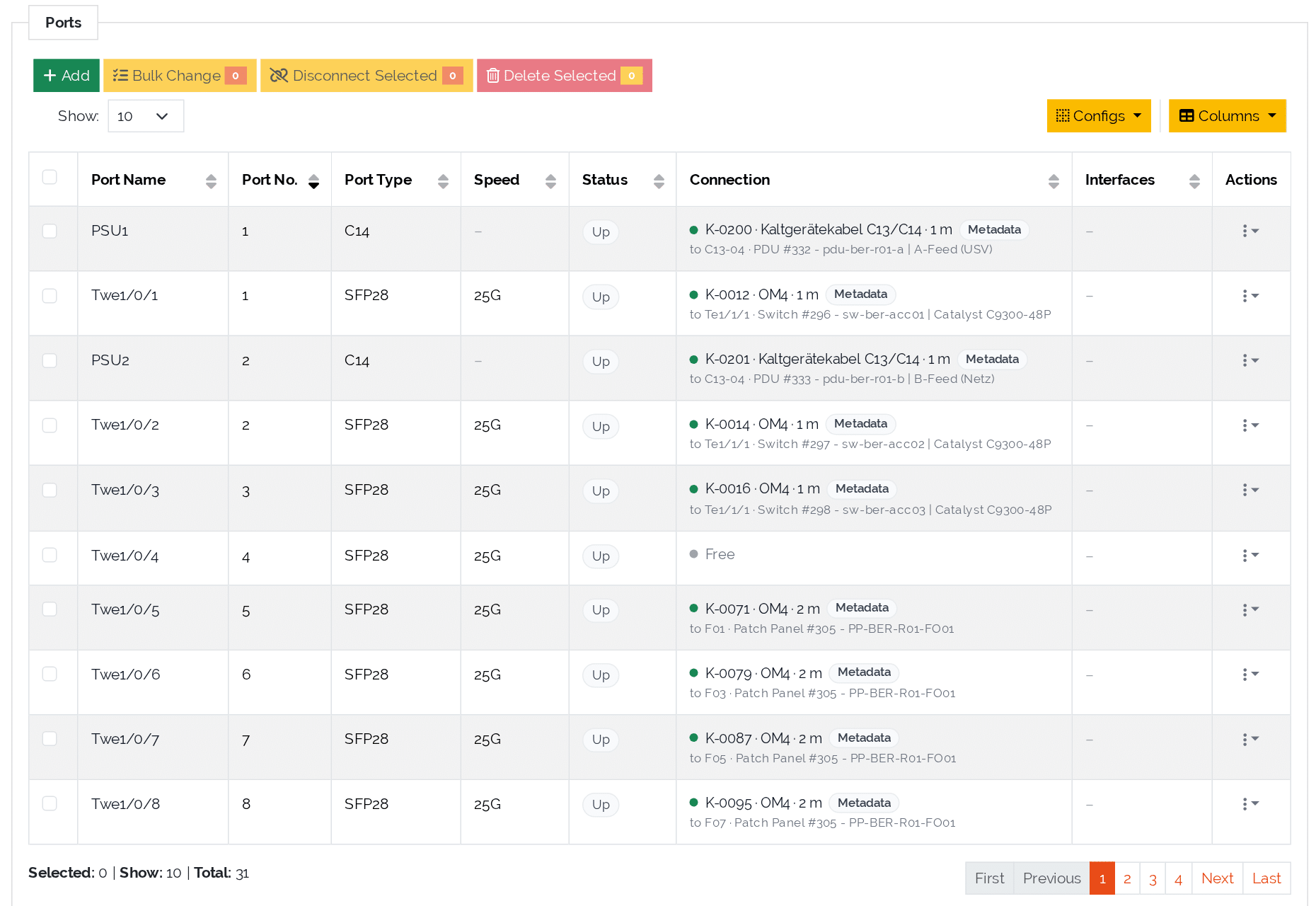
Objects can now have ports or a patch panel. Ports are enabled via a new virtual section in the Type Builder and then appear as a separate table in the object view.
For each port, the name, number, port type, speed, and status are maintained. Ports are connected to one another using the new “Cable” special type—including cable type, length, and color.
Key features:
- Wizard for bulk creation of ports with naming scheme and preview
- Patch panels with automatically paired front and rear ports
- Cable wizard for connecting, editing, and disconnecting ports
- Linking ports to an object’s interfaces
- Bulk actions and configurable columns per user
- Manage port options such as status, port type, and speed directly in the Type Builder
A 48-port switch can thus be created in just a few seconds: Specify the number of ports, enter a naming scheme such as “Gi1/0/{n},” check the preview—and you’re done.

Cabling View: Cabling at a Glance
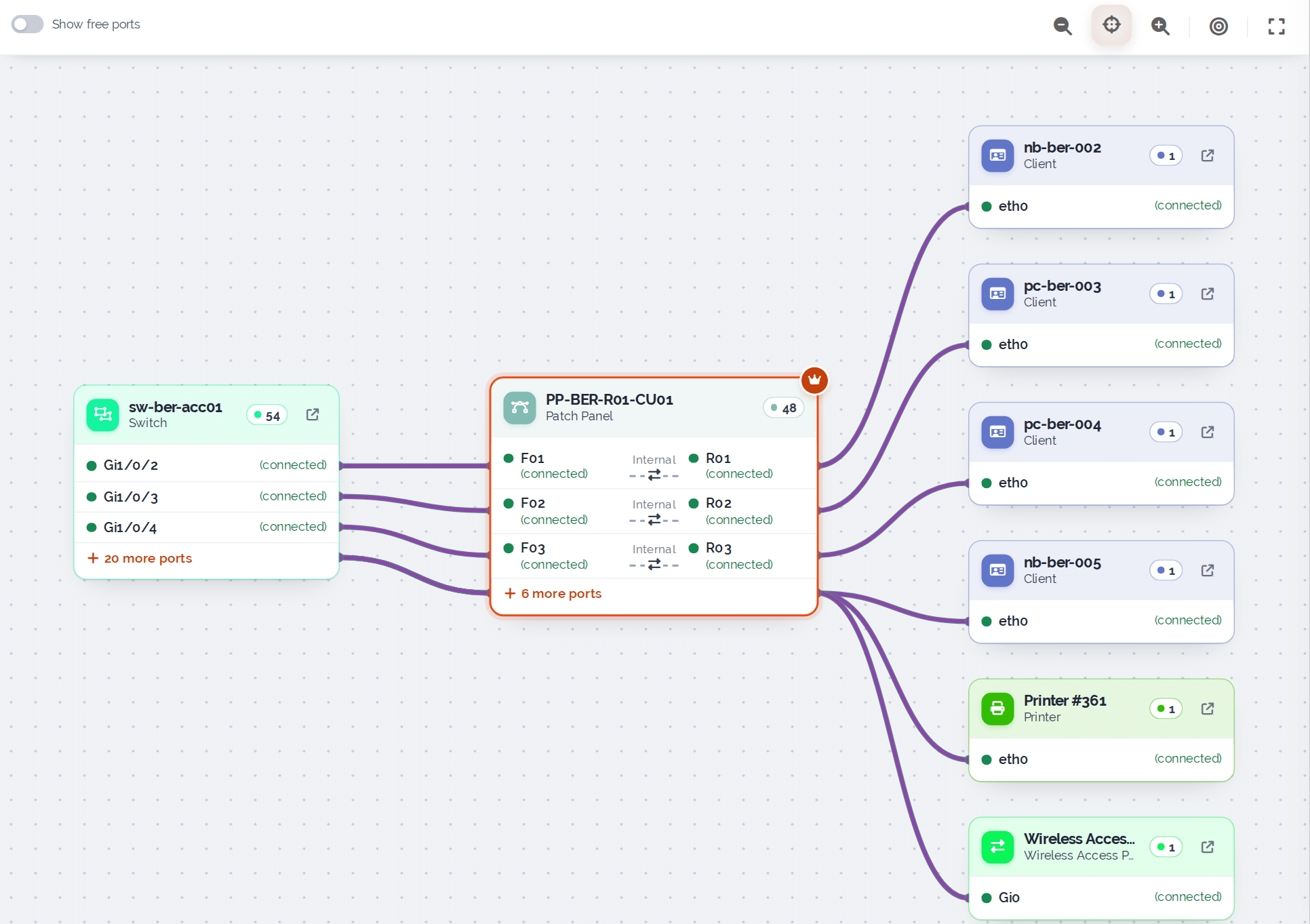
Anyone who documents ports and cables also wants to see how everything is connected. That’s what the new Cabling View in the Object View is for.
With a single click, you can switch between Table, Cabling, and Graph. The Cabling View displays the selected object along with all connected devices—from the switch to the patch panel to the workstation.
Typical use cases:
- Tracing cable paths across multiple patch panels
- Quick troubleshooting of network issues
- Planning relocations and renovations in the data center
- Documentation for audits and handoffs
Cables are displayed in their actual colors, and additional connections can be expanded as needed. Zoom, full-screen mode, and a “Spotlight” feature for highlighting individual connection paths help you maintain an overview even in large environments.
Import & Export: New Wizards and Multi-Data Sections
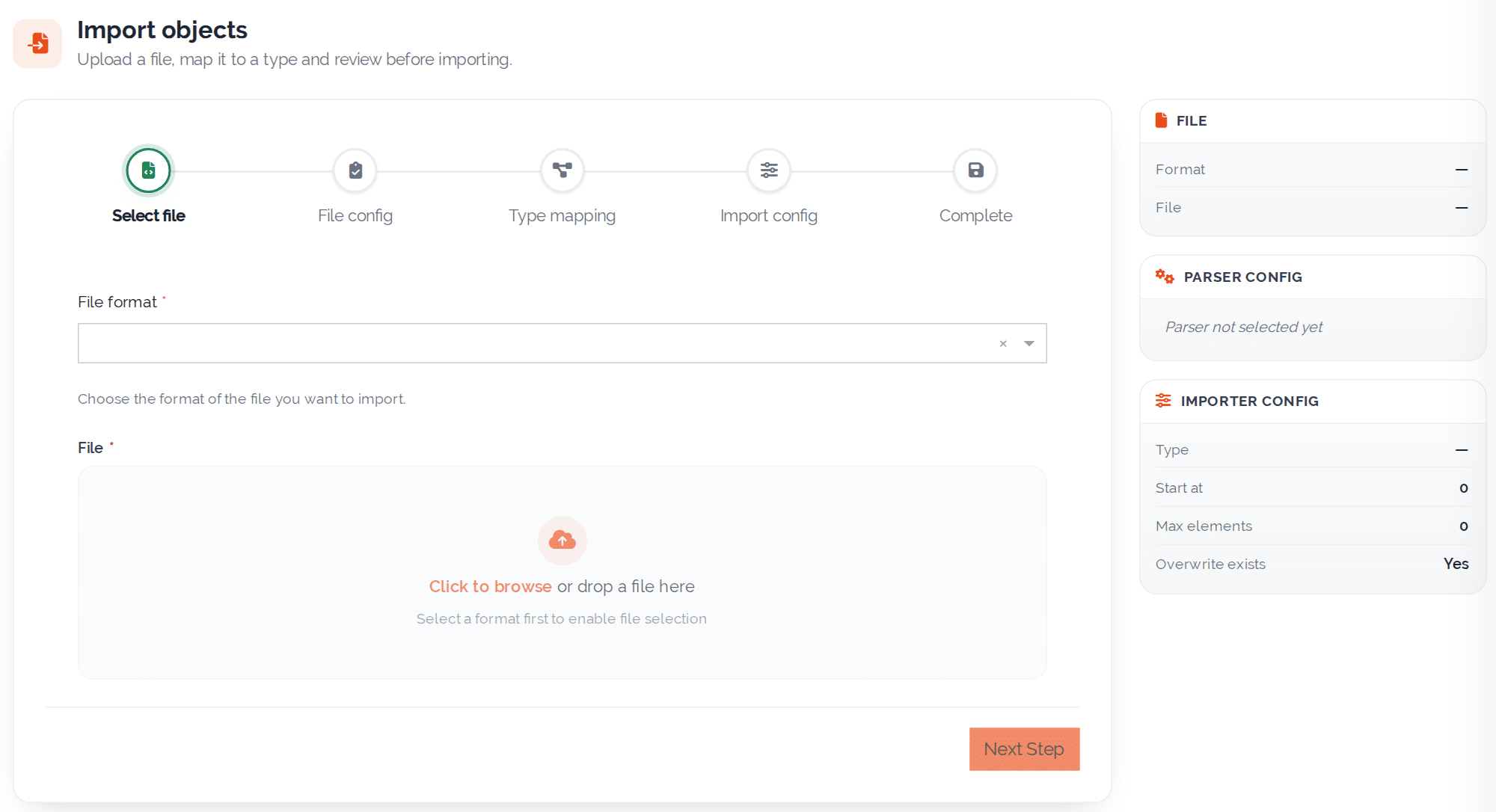
There have also been some changes in data exchange. The import wizards for objects and types have been completely redesigned and guide you step by step from the file to the completed import.
Key features:
- Import and export of multi-data sections (CSV, XLSX, and XML)
- New “Human-readable” option for CSV and XLSX export
- CSV templates for preparing object imports
- Improved validation and clearer error messages
This allows even large datasets to be reliably imported into DataGerry.
Additional Improvements in DataGerry 3.3.0
In addition to the major new features, DataGerry 3.3.0 includes numerous minor improvements:
- Locations: Location Tree in the sidebar with search, lazy loading, and drag-and-drop
- ISMS: Report pagination, new filters in the Risk Assessment Report, and bulk deletion
- Permissions: Unified permission checks for reports, webhooks, CI Explorer, Document Generator, ISMS, and more
- CI Explorer: Port connections as a separate filter and faster loading
- User Interface: New dialogs, new button design, and Font Awesome 6
- Performance: Faster object view and optimized Type Builder
In addition, over 50 bugs were fixed.
More Options for a Modern CMDB
With this release, DataGerry continues to evolve:
- Visual rack planning with the new Rack View
- Structured documentation of ports, patch panels, and cables
- Transparent cabling with the Cabling View
- Revised import and export functions
- Greater security through a consistent permissions system
Rack View and Port Management are available in the DataGerry editions with IPAM functionality.
With these enhancements, DataGerry becomes the central platform not only for logical but also for physical IT infrastructure. We welcome your feedback as you try out the new features.
You can find a detailed overview of all changes in the complete changelog in our documentation.
Thank you for being part of our journey!
Your DataGerry Team