
DataGerry Features
All included – no overhead: DataGerry Features with instant impact.
Documentation, automation, transparency, and compliance in a single system.
Features for your individual needs
DataGerry Key Features at a glance

Flexible Data Model

API, Webhooks & Automation

CI Explorer & Dependency Visualization

ISMS & integrated Risk Analyses

Reporting & Import/Export

100% Open Source & extensibility

Scalability & Multi-Tenancy

IP Address Management (IPAM)

AI-powered document generator

Rack View – Visually Document Racks and Server Rooms

Cabling – Document Ports and Cabling
Flexible Data Model
API, Webhooks & Automation
CI Explorer & Dependency Visualization
ISMS & integrated Risk Analyses
Reporting & Import/Export
100% Open Source & extensibility
Scalability & Multi-Tenancy
IP Address Management (IPAM)
AI-powered document generator
Rack View – Visually Document Racks and Server Rooms
Cabling – Document Ports and Cabling
Flexible data model & object management
DataGerry deliberately avoids rigid specifications. You define which object types, attributes, and relationships your CMDB contains.
Options:
• Freely definable objects (servers, software, locations, contracts, IoT, services, etc.)
• Individual attributes & relationships
• Dynamic adjustment during operation
• Modeling of complex IT landscapes
Your advantage:
Your CMDB adapts to your IT – not the other way around.
API, Webhooks & Automation
DataGerry acts as the central data hub of your IT landscape.
Features:
• REST API for bidirectional data exchange
• Webhooks for event-driven automation
• Integrated API platform (OpenCelium) for seamless integration with ITSM, monitoring, IAM, SIEM, and many more.
Result:
Automated data maintenance, consistent information, and significantly reduced manual effort.
CI Explorer & Dependency Visualization
The integrated CI Explorer visually displays relationships between systems, applications, and services.
Added value:
• IT service tree
• Impact analyses
• Change & release planning
• Troubleshooting
• Security & audit assessments
This makes dependencies, risks, and cascade effects immediately visible.
ISMS & integrated Risk Analyses
DataGerry includes an integrated ISMS and risk assessment module.
Features:
• Risk analyses directly on assets and object groups
• Assessment based on likelihood and impact
• Automatic risk calculation
• Roles: risk owner and risk assessor
Perfectly suited for ISMS, ISO 27001, BSI IT-Grundschutz, and NIS2.
Reporting & Import/Export
DataGerry supports structured and auditable documentation.
Features:
• Flexible reports
• Exports to CSV, JSON, XML, XLSX
• Easy imports of existing data
Ideal for audits, management reports, and compliance documentation.
Open Source & Extensibility
• 100% open source (AGPL v3)
• No license fees
• No vendor lock-in
• Active community
Maximum flexibility, transparency, and future-proofing.

Scalability & Multi-Tenancy
• Optimized for large IT environments
• Cloud: Multi-tenant capable
• Thousands of objects can be managed efficiently
Ideal for enterprise environments, MSPs, and corporations.
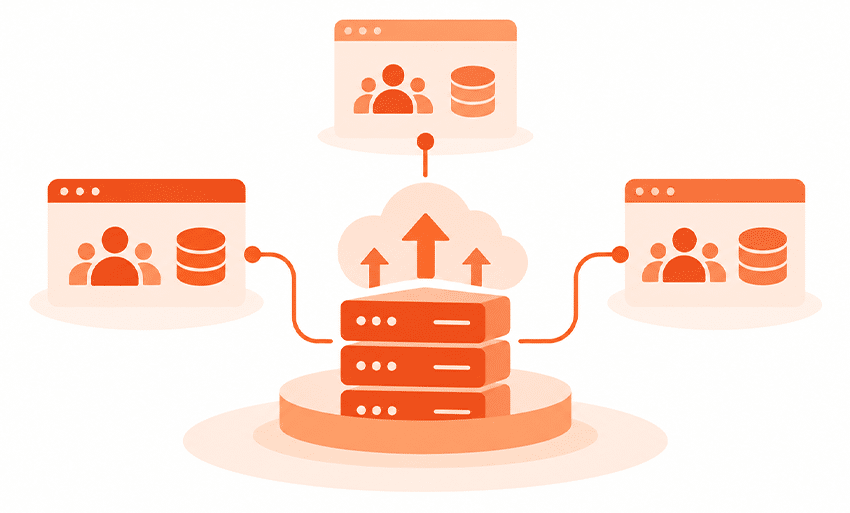
IP Address Management (IPAM)
Keep track of your entire network structure at all times
With the integrated IP Address Management (IPAM) feature, you can centrally document and manage your entire network infrastructure in DataGerry. Organize IP addresses, subnets, supernets, and VLANs clearly and avoid duplicate or incorrect assignments. Thanks to tight integration with the CMDB, network resources can be linked directly to servers, firewalls, switches, or other assets.
Keep track of your entire network structure at all times
With the integrated IP Address Management (IPAM) feature, you can centrally document and manage your entire network infrastructure in DataGerry. Organize IP addresses, subnets, supernets, and VLANs clearly and avoid duplicate or incorrect assignments. Thanks to tight integration with the CMDB, network resources can be linked directly to servers, firewalls, switches, or other assets.
Features:
- Centralized management of IPv4 and IPv6 addresses
- Documentation of supernets, subnets, and VLANs
- Tree structure for easy navigation of large networks
- Automatic checking for duplicate IP addresses
- Linking IP addresses to CMDB objects
- Foundation for network documentation and infrastructure planning
Your benefit:
Manage your networks in an organized manner from a central location, avoid address conflicts, and maintain a clear overview at all times—even in complex IT environments.
AI-powered document generator
Automatically generate professional documentation from your CMDB
With the built-in document generator, you can create professional PDF documents directly from your CMDB data. Create custom templates for system documentation, inventory lists, handover documents, or audit reports, and automatically populate them with up-to-date information from your DataGerry instance. The layout, content, and design can be flexibly customized to meet your requirements.
Features:
- Automatic PDF generation from CMDB data
- Custom document templates with a WYSIWYG editor
- Dynamic placeholders for object information
- Custom layouts and CSS customizations
- Company logos, images, and fonts can be integrated
- Ideal for audits, compliance, and technical documentation
Your benefit:
Create consistent and up-to-date documentation at any time with the click of a button—without manual post-processing and always based on your current CMDB data.
Rack View – Visually Document Racks and Server Rooms
With Rack View, you can see your racks exactly as they are arranged in the data center. Servers, switches, patch panels, storage systems, and UPS units are graphically displayed with their height in units, front or rear view, and side mounting—directly on the rack object in your CMDB.
Features:
- Graphical rack view: front, back, or both sides side by side
- Mount objects with a starting slot, height (U), and mounting area
- Side mounting, for example, for PDUs
- Suggestions for available height units
- Reservations and blockers for planned or locked spaces; expired reservations are marked
- Detailed view for each installation, including move and removal functions
- Automatic synchronization with the location tree
- Custom permissions for viewing and editing
Your benefit:
Occupancy, available capacity, and the exact location of each device are visible at a glance—without separate rack lists that quickly become outdated.
Cabling – Document Ports and Cabling
Document physical connections and network cabling directly in DataGerry. Each object can be assigned ports or a patch panel. Cables are separate CIs with a category, length, and color, and connect the ports of switches, patch panels, servers, and other components.
Features:
- Ports and patch panels (front and rear ports) on any object type
- Wizard for creating multiple ports with a naming scheme and preview
- Cables as separate CIs with a connection wizard for connecting, modifying, and disconnecting
- Status, port type, and speed per port; linked to the device’s interfaces
- Cabling View: Connections displayed as a table, cabling diagram, or graph
- Cables displayed in their actual colors; connections can be traced all the way to the end device if needed
- Spotlight highlights an entire connection path
- Plugged-in cables cannot be accidentally deleted
Your benefit:
You can immediately see which switch port connects to which server via which patch panel. This speeds up troubleshooting, relocations, and the planning of changes.
Ready to Take Control of Your Data?
Start your 14-Day Free DataGerry Trial today
Get hands-on with DataGerry, the open-source CMDB that brings structure and flexibility to your IT documentation. Explore powerful features, automate your workflows, and gain full visibility across your assets — all with zero commitment.

get in touch
Contact the DataGerry Team
Do you have questions or are you facing a particular challenge?
Our dedicated DatGerry team is happy to provide you with a consultation.
Office Address
Hauptstraße 8b, 82008 Unterhaching, Germany
E-Mail
info@datagerry.com
Phone
+49 89 608668 0
Follow us on