
DataGerry 3.1.0 is live – just in time for Valentine’s Day!
For us, February 14th isn’t just a day for flowers and chocolates; it’s been a fixed date for special releases for years. What started as a tradition at OpenCelium, we’re now continuing at DataGerry: Valentine’s Day = Release Day. With great attention to detail and powerful new features for your CMDB:
Automations, enhanced CI explorer & optimized usability: With our latest DataGerry release, we extend the CMDB with powerful integration and visualization functions while simultaneously improving usability in key areas.
The focus is on our new automations based on OpenCelium, a significantly expanded CI explorer, improvements in the location tree, and optimizations in the relation configuration.
These are the new features of the DataGerry Update 3.1.0 in detail:
Automations: Intelligently orchestrating interfaces
With this release, we are introducing a completely new feature: Automations.
OpenCelium integration directly into DataGerry
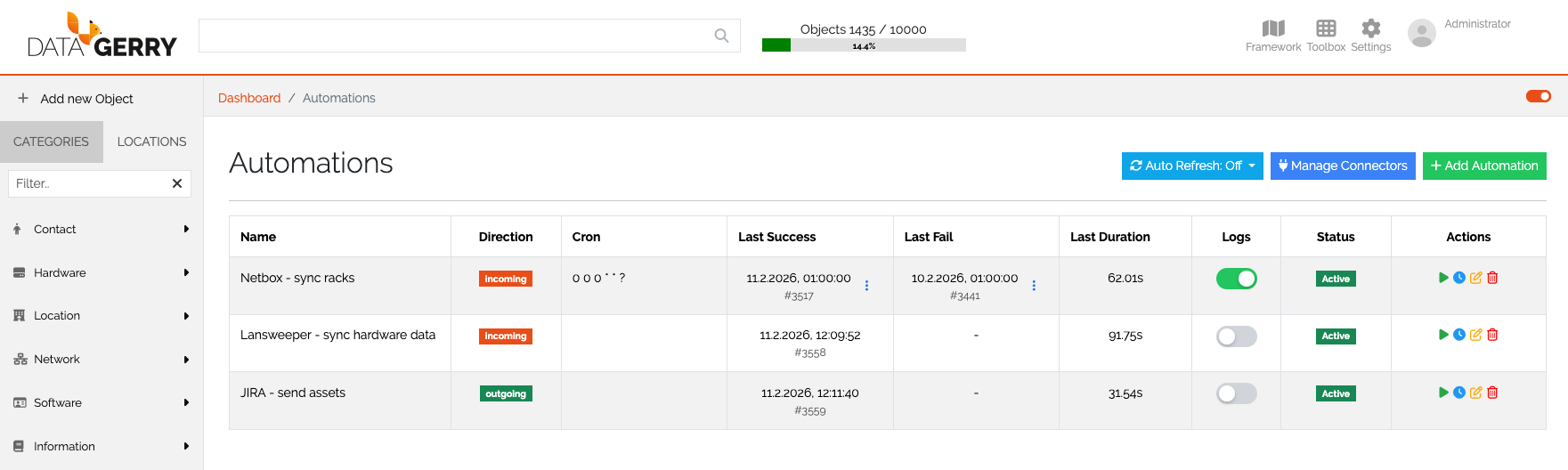
The integration of OpenCelium now allows interfaces to be created and orchestrated directly within DataGerry. We have fully integrated OpenCelium’s proven Connection Editor into DataGerry to achieve this. This enables flexible configuration of integrations – without requiring a system change.
Flexible implementation of automation
Once created, automations can:
- time-based (e.g., regularly via scheduler)
- manually by click
be carried out.
Transparent traceability
Detailed logs are available after each execution.
Two logs are saved for each success and failure scenario, ensuring that the latest results remain traceable at all times.
This creates transparency, traceability and significantly facilitates troubleshooting.
Improved location tree: More clarity & better display
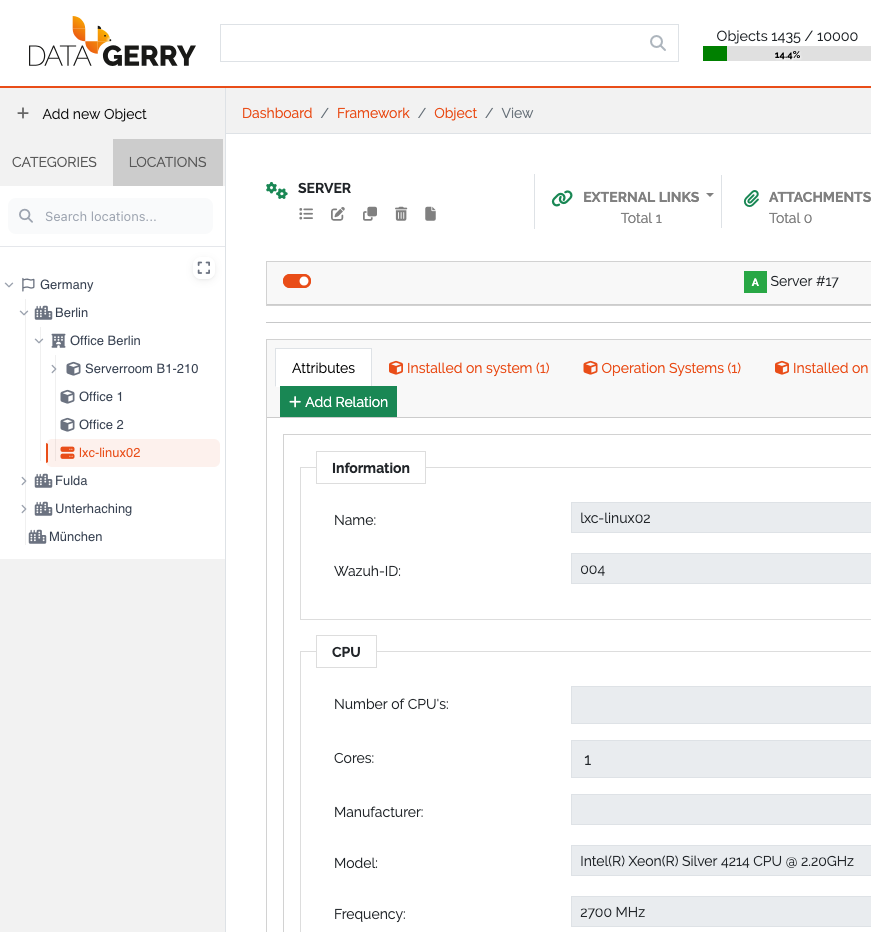
Our location tree is the central navigation and structuring element in DataGerry and has now been visually and functionally optimized.
Improved display of long names
Locations with long names are now displayed much more clearly. The visual adjustment ensures greater clarity and better readability – even with complex structures.
New search and filter function
Additionally, a search and filter function has been integrated.
This saves time and significantly improves navigation.
CI Explorer: More context, more possibilities
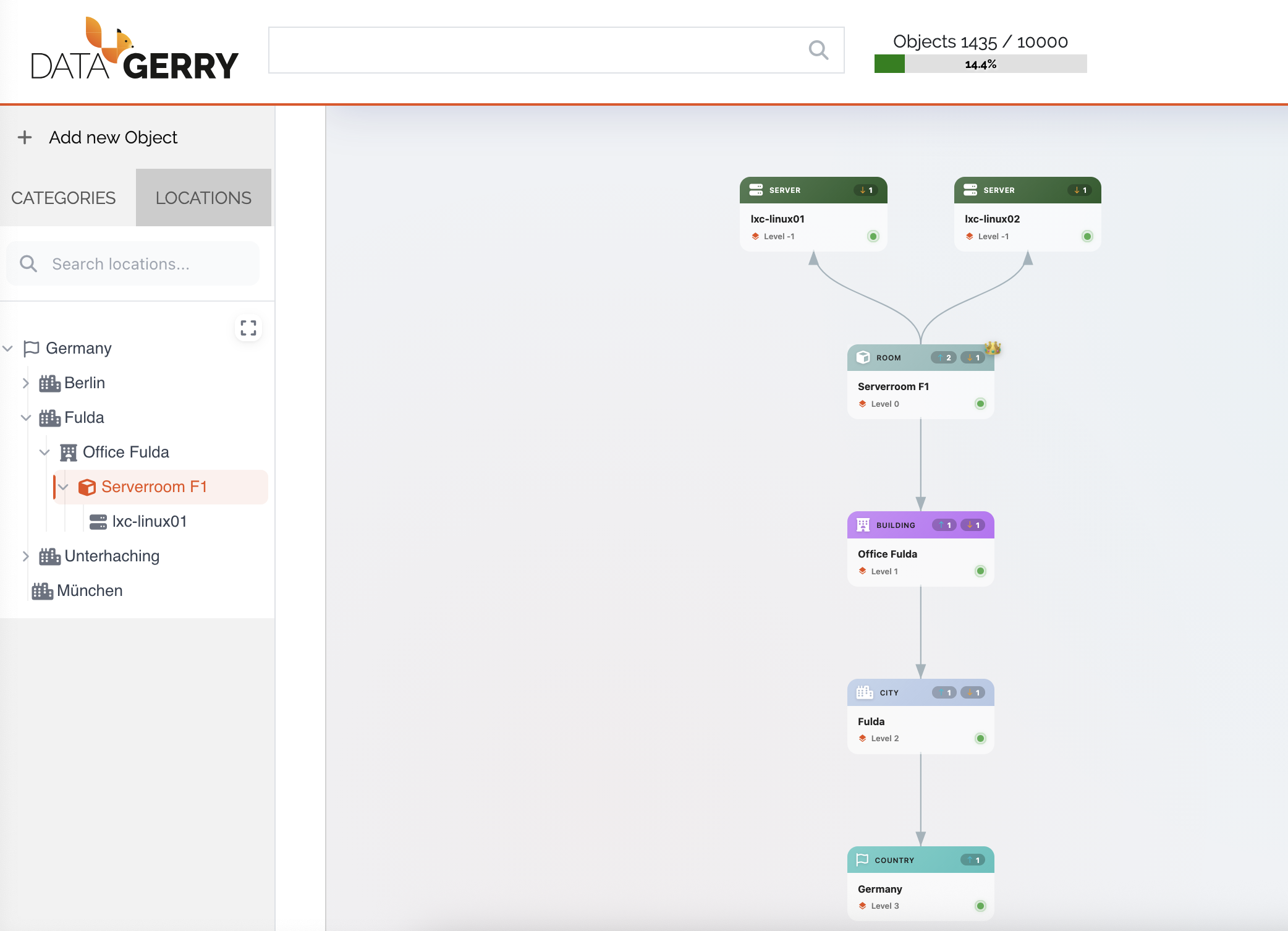
The CI Explorer, which displays the visual dependencies of Configuration Items, has been significantly enhanced.
Relationships from the location tree are visible
Relationships from the location tree will now also be displayed in the CI Explorer.
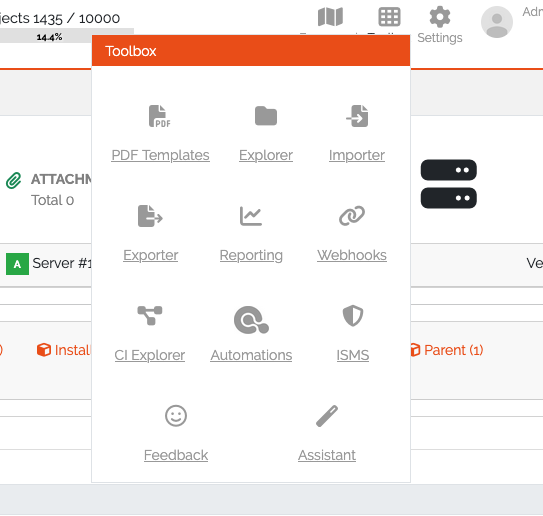
New starting point via the toolbox
Previously, the CI Explorer could only be opened directly from within a CI environment.
Now it can also be launched independently via the Toolbox.
The object to be displayed can be freely chosen for maximum flexibility in analysis.
PNG-Export
Another highlight: The CI Explorer can now be exported as a PNG file.
Ideal for:
- Dokumentationen
- Presentations
- Architecture workshops
- Coordination with specialist departments
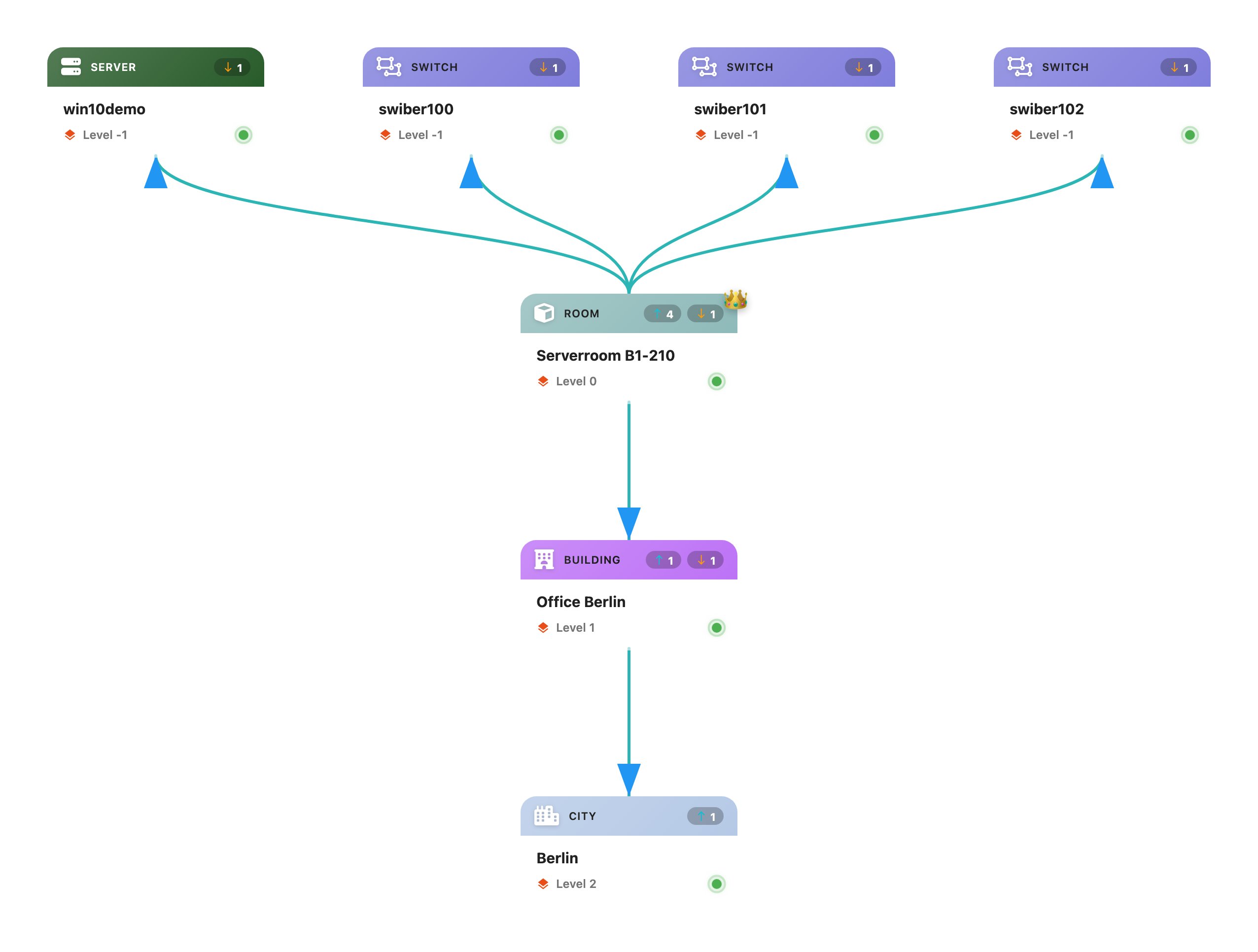
Dynamic root switch
When the root object within a Configuration Item is changed, the currently displayed CI is automatically updated. This means the attributes of the newly selected root object are displayed directly – without manual reloading or re-navigation. This ensures a smoother analysis process.
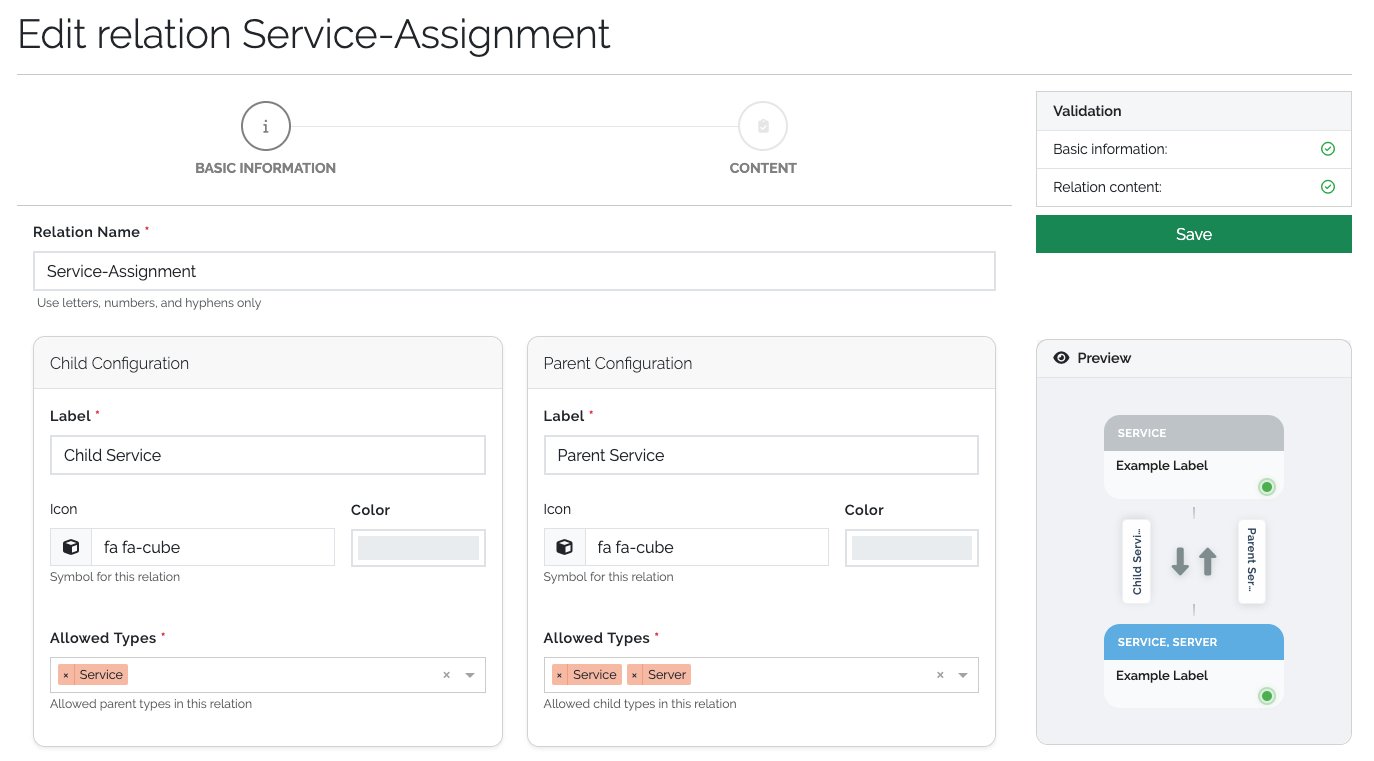
Relationship configuration with live preview
There is also a practical new feature in the relation configuration: A new preview widget shows directly how the configured relation will appear in the CI Explorer.
This means:
- Immediate visual feedback
- Less trial and error
- Faster and more secure configuration
More integration, more transparency, more efficiency
This release takes DataGerry to a new level:
- Seamless integrations with OpenCelium via Automations
- Greater transparency through improved logging mechanisms
- Optimized navigation in the location tree
- Significantly enhanced analysis functions in the CI Explorer
- Intuitive relation configuration with live preview
With these enhancements, we are strengthening DataGerry as a central, integrated and visually powerful CMDB platform.
We welcome your feedback when you try out the new features.
A detailed overview of all changes in version 3.1.0 can be found in the full changelog here: https://docs.datagerry.com/en/latest/sources/changelog.html
Thank you for being part of our journey!
Your DataGerry team